Most teachers do not need more apps. They need a reliable way to decide which tool is worth the time, and which one will be forgotten after two lessons. New platforms appear every month and school licences change.
This article looks at ICT tools in education from the teacher’s side of the desk: what they are, how to choose one starting from your learning goal, and how to use ICT in the classroom without adding hours to your week. It draws on the European framework for educators’ digital competence and on UNESCO’s global report on technology in education.
What are ICT tools in education?
ICT tools in education are the digital technologies that teachers and learners use to find, create, share and assess knowledge: devices, software, online platforms and AI assistants. Used well, ICT is a tool for teaching and learning, not a goal in itself: it should make a specific learning activity possible, faster, more accessible or more engaging than it would be without it.
In practice, “ICT” covers very different things: a shared document where a group writes together, an online quiz that shows you in real time who has understood, a learning platform where you store materials and assignments, or an AI chatbot that helps you draft differentiated exercises.
Why should the learning goal come before the tool?
Because a tool chosen for its novelty usually ends up shaping the lesson, instead of serving it. The European Framework for the Digital Competence of Educators (DigCompEdu), developed by the European Commission’s Joint Research Centre, describes 22 competences in six areas. In the area on digital resources, the very first competence asks educators to consider “the specific learning objective, context, pedagogical approach, and learner group” when selecting digital resources and planning their use.

UNESCO’s 2023 Global Education Monitoring Report, Technology in education: A tool on whose terms?, reaches a similar conclusion from a policy perspective. It notes that sound, rigorous and impartial evidence of technology’s added value in learning is lacking, and asks four questions before any technology is introduced: is it appropriate, is it equitable, is it scalable, is it sustainable?
For a teacher, this translates into one simple habit: write down what students should be able to do at the end of the activity, and only then ask whether a digital tool helps them get there.
How do you choose an ICT tool for your classroom?
Once the goal is clear, five criteria help you compare options quickly. You do not need a formal evaluation grid: a few minutes with these questions is usually enough.
- Learning goal. Does the tool support the specific thing students need to do (practise, discuss, create, explain, be assessed)? If you can reach the same goal just as well with paper, the tool has to justify itself in another way, for example by saving time or reaching absent students.
- Accessibility and inclusion. Can every student use it, including students with special needs, students with older devices or slow connections, and students who are less confident with technology? DigCompEdu lists accessibility as a competence in its own right: ensuring access to learning resources and activities for all learners, and responding to their physical or cognitive constraints in using digital technologies.
- Privacy and data protection. What data does the tool collect, where is it stored, and does your school allow it? In the EU, the GDPR applies to students’ personal data, and your school’s data protection officer or ICT coordinator should be your first contact. UNESCO’s report gives a reason to be careful: one analysis it cites found that 89% of 163 education technology products could survey children, and only 16% of countries guarantee data privacy in education by law.
- Workload for the teacher. How long will it take you to learn, set up and maintain? A tool that requires a new account for every student, or a new set of materials for every lesson, may cost more time than it saves. Tools your school already licenses are often the most sustainable choice.
- Assessment. Does the tool help you see what students have learned? DigCompEdu describes using digital technologies for formative and summative assessment and enhancing the diversity and suitability of assessment formats. A good tool gives you evidence you can act on, not just a score.
If a tool fails on accessibility or privacy, drop it, however attractive it looks.
Which types of ICT tools work for which goals?
Instead of a list of brand names that will be outdated next year, it helps to think in categories and match each to a teaching purpose:
- Quiz and polling tools for retrieval practice and real-time checks of understanding. Google Forms, for example, can turn a short self-marking quiz into an exit ticket.
- Collaborative documents and whiteboards for group writing, brainstorming and peer feedback. Shared Google Docs or Slides and online collaborative walls let a group build one product together and let you see each student’s contribution.
- Learning management systems (LMS) for organising materials, assignments and feedback in one place. Google Classroom, part of Google Workspace for Education, is a common entry point for schools.
- Video and multimedia creation tools for projects where students explain a concept, document an experiment or tell a story.
- Game-based learning platforms for motivation and practice, best used for short, focused activities rather than as the core of a lesson.
- AI assistants such as ChatGPT, Claude and Gemini for preparing lessons, generating examples at different levels and drafting feedback. They need clear school rules on use and data, and your professional judgement on every output. Our guides on ChatGPT for teachers and AI lesson planning go into more detail.
Most teachers end up with a small core set: one platform to organise work, one tool for quick checks, one for collaboration. That stability is an advantage: students learn the tools once and then focus on the content.
How can you use ICT in the classroom without overloading yourself?
Even the right tool can become a burden if it arrives all at once. A few practices keep ICT teaching manageable:
- Introduce one tool at a time and use it several times before adding another, so both you and your students build routine.
- Start with low-stakes activities, such as a warm-up quiz or a shared brainstorm, before using a tool for graded work.
- Plan for failure: have a paper or offline alternative ready for when the connection drops or a device does not work.
- Teach the tool, briefly: a two-minute demonstration and a short practice task save a lot of confusion later.
- Share with colleagues: agree on a common set of tools in your department, so students do not have to learn a different platform for every subject.
- Talk about safe and responsible use: passwords, sharing, screen time and what to do when something goes wrong are part of digital competence. Our article on cyber security for teachers covers the main risks.
The aim is not to use technology in every lesson, but to use it where it clearly adds something, as described in our article on the role of digital media in education.
What do European frameworks say about teachers’ digital skills?
Choosing and using ICT tools is now recognised as a core professional skill. On its page on the Digital Education Action Plan 2021-2027, the European Commission notes that fewer than 40% of educators across the EU felt ready to use digital technologies in teaching (citing OECD data from 2018), and that teachers need more training in using digital tools effectively. UNESCO’s report adds that only half of countries currently have standards for developing teachers’ ICT skills.
DigCompEdu offers a practical way to reflect on your own practice. Its six areas are professional engagement, digital resources, teaching and learning, assessment, empowering learners and facilitating learners’ digital competence. The JRC presents it as a reference framework rather than a checklist: you can use it to identify the area where you feel least confident and plan your professional development from there.
From our experience at ELA
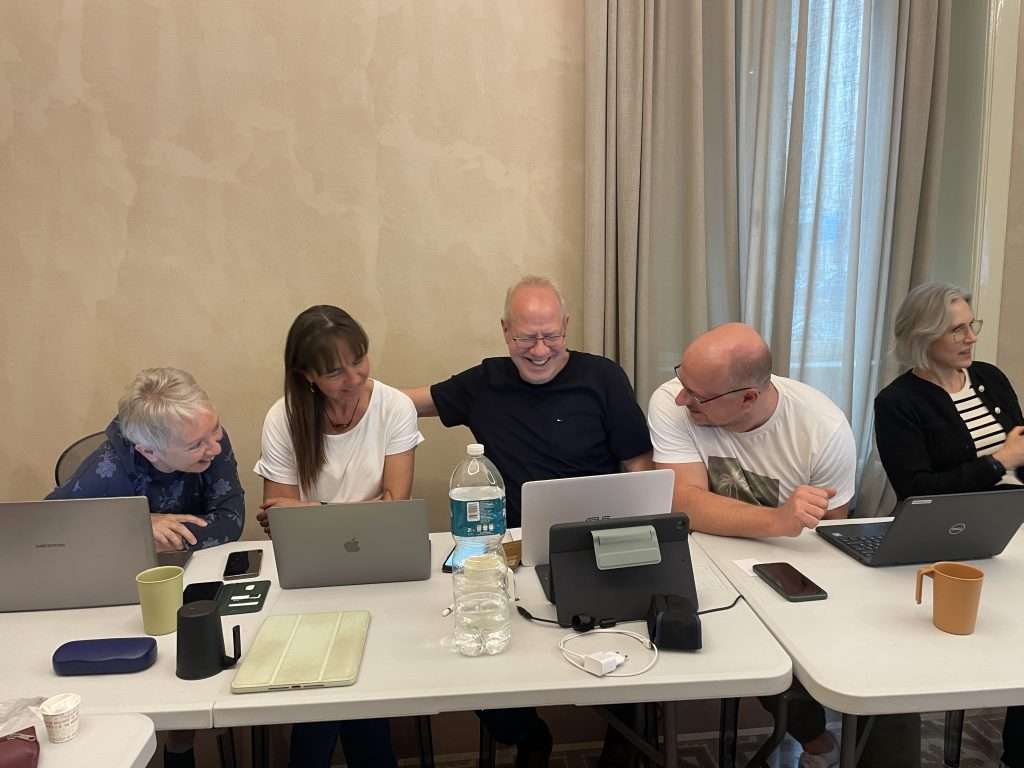
In our course Integrating ICT, new technologies and AI tools into teaching and education, participants work hands-on with web platforms and collaborative tools, real-time assessment, game-based learning, multimedia and AI for lesson planning, and practise choosing tools suited to their subject and age group. Learning by doing, together with colleagues from other European countries, is what makes the difference back at school. As one participant from Lithuania put it: “I especially appreciated the opportunity not only to learn about new digital and AI tools but also to try them in practice.” (Darius Dudutis, Lithuania). Another wrote: “I started using some of the ICT with my students when I came back and I’m really glad of my students enthusiasm.” (Maria Chonkova, Bulgaria). For all our courses on digital teaching and AI, see the Erasmus+ ICT and AI courses for teachers.
Sources
- Redecker, C. and Punie, Y., European Framework for the Digital Competence of Educators: DigCompEdu, Joint Research Centre, Publications Office of the European Union, 2017; competence descriptions on the JRC DigCompEdu framework page.
- European Commission, Digital Education Action Plan (2021-2027).
- UNESCO, UNESCO issues urgent call for appropriate use of technology in education, on the 2023 Global Education Monitoring Report Technology in education: A tool on whose terms?, July 2023.
P.S. Want to try these tools with colleagues from across Europe, funded by Erasmus+? Download our course catalogue and find the digital education course that fits your school.
 English (UK)
 Español
 Italiano
 Deutsch
 Română
 Български
 Čeština
 Ελληνικά
 Polski
 Português
 Français